A club is home for your race events and race series. To create a race event or a race series, you must first create a club.
Currently users must have a coach account to create a club.
Create a club
- Go to More → Clubs.
- Tap Create Club.
- Enter a Club Name. Description, Website and Public contact are optional.
- Tap Create Club to save.
You become the club’s first administrator.
The Public contact is an email address or a web link. Entrants see it as a “Contact organiser” link on your event registration pages.
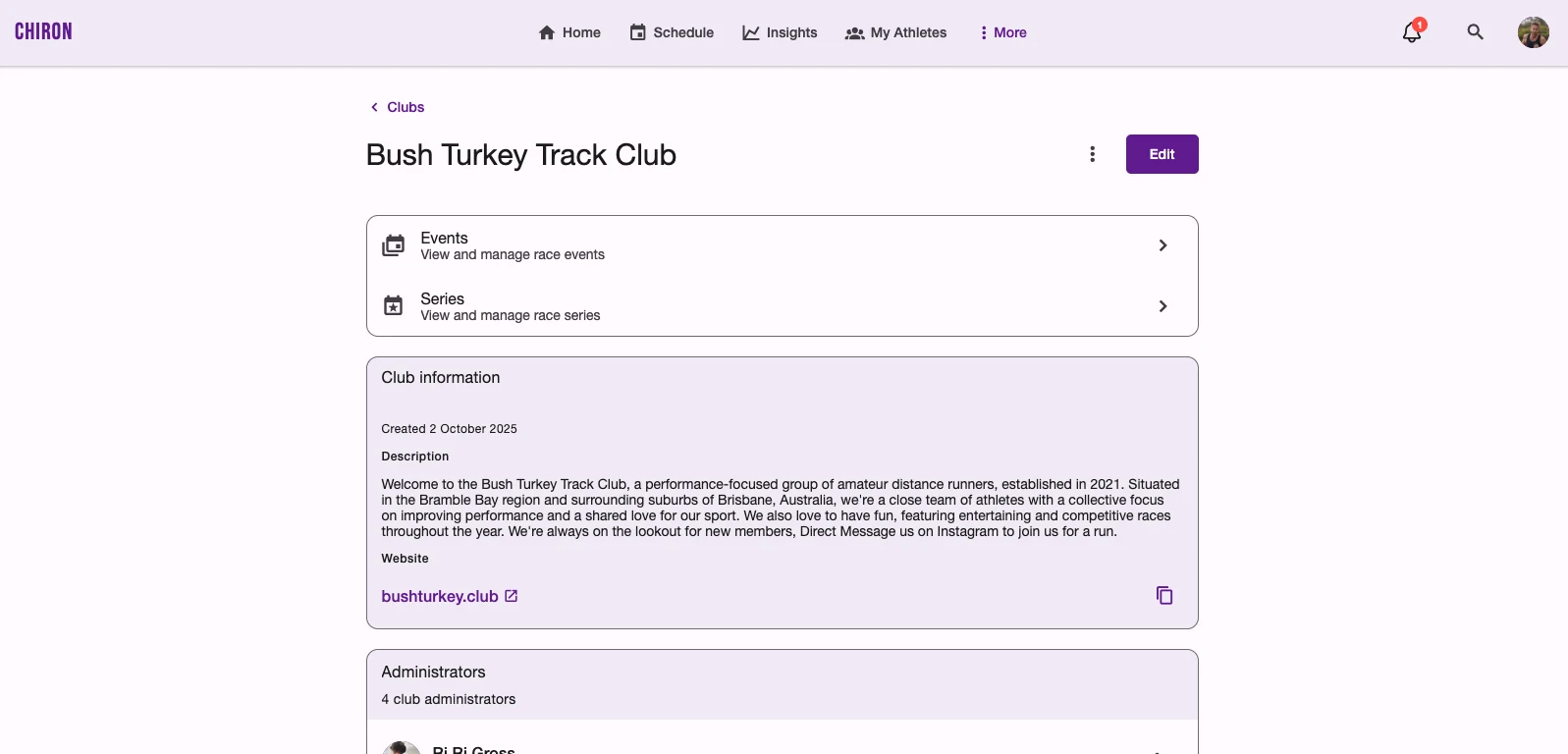
Your club’s page
Open More → Clubs and choose your club to see its page. From here you can:
- open Events and Series to manage your race events and race series
- check the Club information: description, website and contact details
- see and manage the club’s Administrators
- tap Edit to change the club’s details, or open the menu for more options
Edit a club
- Go to More → Clubs and open the club.
- Tap Edit, update the details, and tap Update Club.
To delete a club, open its menu and choose Delete. Deleting a club also deletes its events, start lists and results, and can’t be undone.
Add a club administrator
Administrators can manage everything in the club: its events, start lists, teams, race timing, results and series. Only the club creator needs a coach account. Any user can be added as an administrator.
- Open the club and find Administrators.
- Tap Add Administrator.
- Enter the person’s account email address. To add several people at once, enter up to 10 email addresses, one per line.
- Tap Add.
The user’s account email address is required to add them. It must belong to an existing Chiron account — Chiron doesn’t send an invitation to someone who doesn’t have one yet. Ask them to sign up first, then add them.
Once added, the administrator sees Clubs in their More menu. They can manage the club but can’t create a new club unless they have a coach account.
Remove an administrator
Open the administrator’s menu in the Administrators list and choose Remove Administrator. A club always keeps at least one administrator, so you can’t remove the last one.