You can delete your Chiron account at any time from the app. Deletion is permanent and can’t be undone.
Delete your account
- Go to More › Settings › Account Settings.
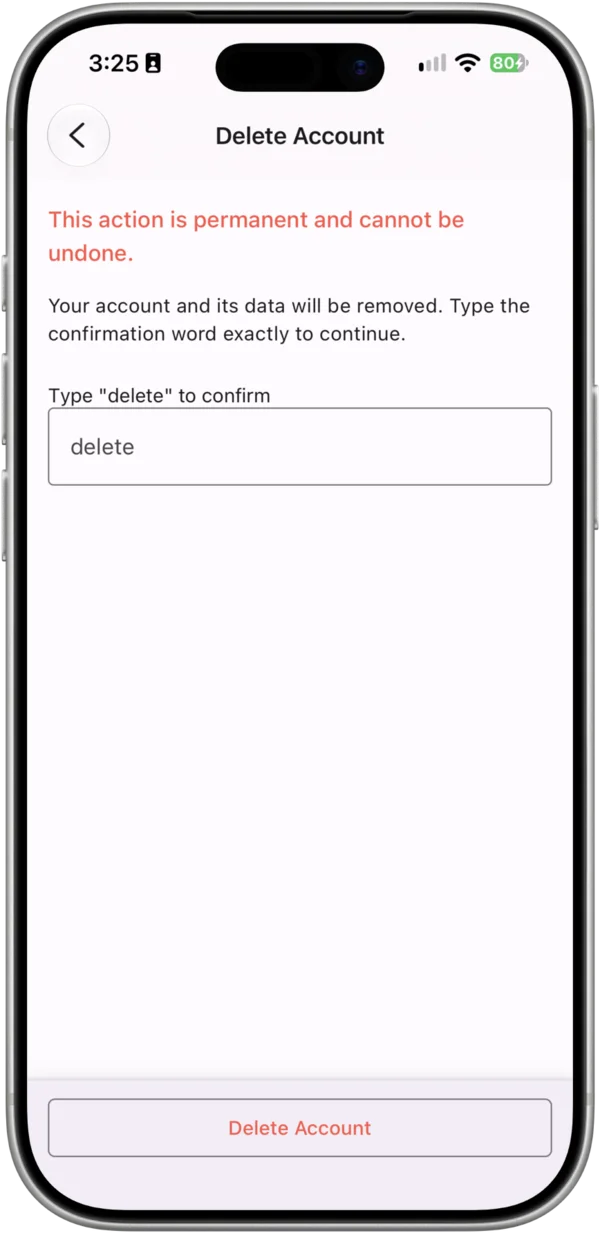
- Tap Delete Account.
- Type delete in the confirmation box, then tap Delete Account.
What’s deleted
- Your profile and sign-in account
- Your workouts, events, notes, comments and other training data
- Your coaching relationships. Your coach, or your athletes, lose access
- Chiron’s connection to Strava. Chiron revokes its access to your Strava account. Your activities on Strava itself are not affected
What’s kept
If you’ve taken part in club races timed with Chiron, those race results stay in the club’s published results, but they’re no longer linked to your account.
Coaches
If you’re a coach, deleting your account ends your coaching relationships. Your athletes’ accounts and training stay with them.
Before you delete
If you just want to stop syncing from Strava, you can disconnect Strava instead. If something isn’t working, let us know. We may be able to help.
For how we handle your data, see our Privacy Policy.