If your entrants are already in a spreadsheet — from your own entry form, another registration system, or last year’s list — paste them into your event’s start list in one go instead of adding them one by one.
Import entries
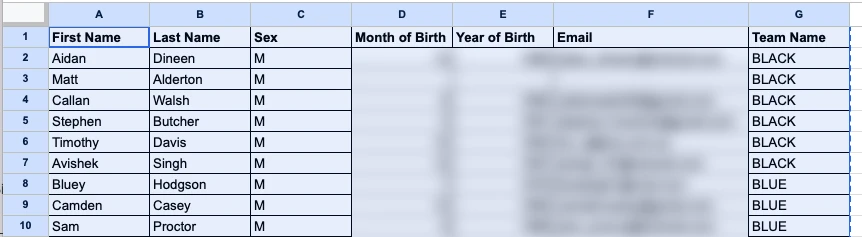
- In your spreadsheet (Google Sheets, Excel or Numbers), select the rows to import, including the header row, and copy them.
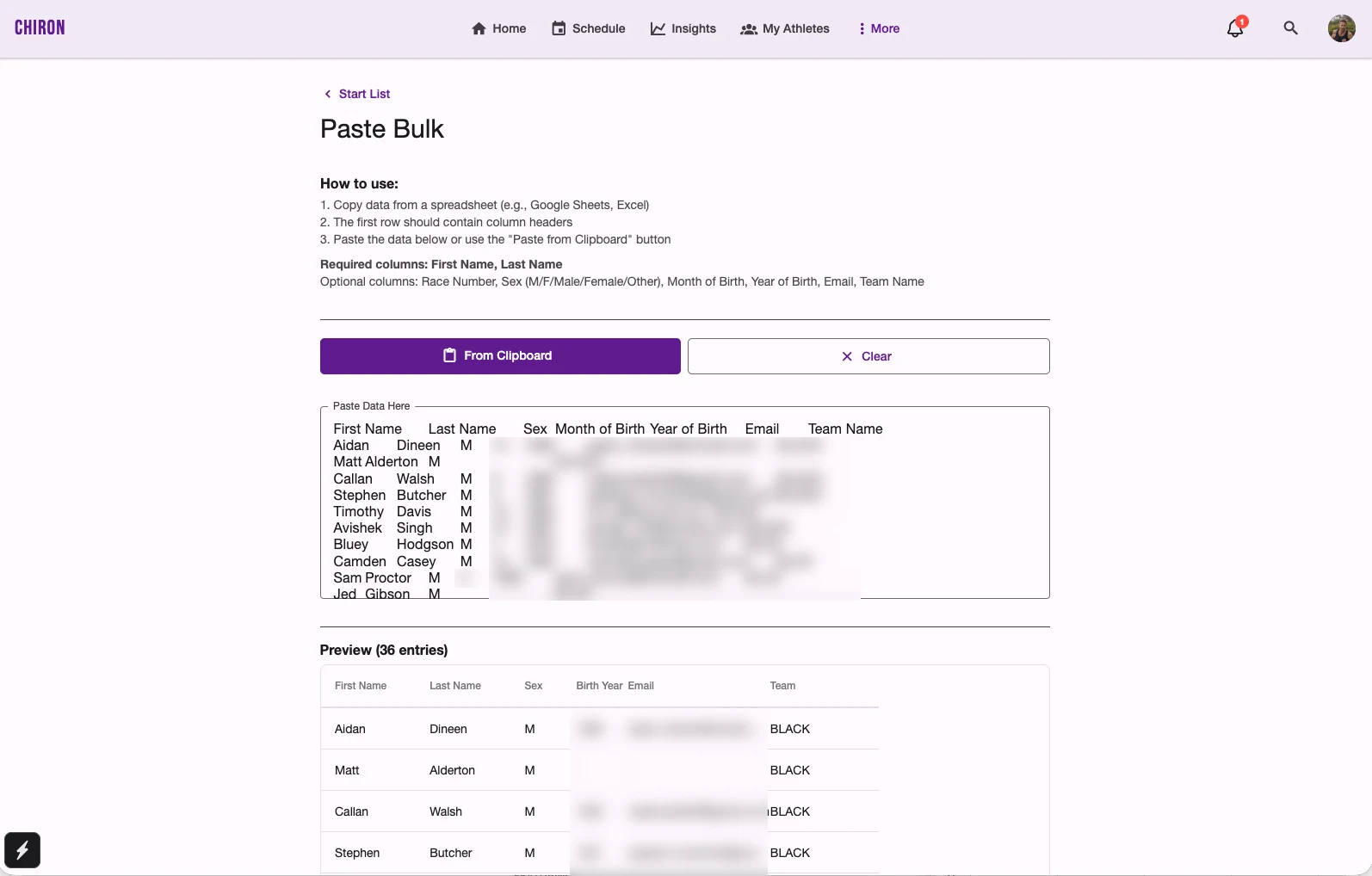
- In Chiron, open the event, tap Start List, then Paste Bulk.
- Paste into Paste Data Here, or tap From Clipboard.
- Check the preview. Chiron shows how many entries it found and any warnings.
- Tap Save N Entries to add them to the start list.
Prepare your spreadsheet
The first row must contain column headers. Chiron works out which column is which from the header, so the order doesn’t matter, and tab- and comma-separated data both work.
| Column | Required? | Headers Chiron recognises |
|---|---|---|
| First name | Required | First Name, FirstName, First_Name, Given Name |
| Last name | Required | Last Name, LastName, Surname, Family Name |
| Race number | Optional | Race Number, Bib, Bib Number, Number |
| Sex | Optional | Sex, Gender — values M, F, Male, Female or Other |
| Month of birth | Optional | Month of Birth, Birth Month |
| Year of birth | Optional | Year of Birth, Birth Year |
| Optional | Email, Email Address | |
| Team | Optional | Team, Team Name, Club, Club Name |
Headers aren’t case-sensitive. Columns Chiron doesn’t recognise are ignored, and it shows a warning so you know.
Example
| First Name | Last Name | Bib | Team |
|---|---|---|---|
| Sam | Lee | 101 | Harbour Runners |
| Alex | Morgan | 102 | Harbour Runners |
| Jo | Patel |
Add Sex, Year of Birth or Email columns in the same way when you have them.
What happens when you save
- Rows need a first and last name. A row missing either is skipped. If the First Name or Last Name column is missing altogether, nothing can be imported.
- Bib numbers — rows with a race number keep it; rows without one get the next available bib.
- Age categories are worked out from sex and year of birth, using each entrant’s age on 31 December of the event’s year.
- Teams — a team name creates that team in the event if it doesn’t exist yet. Names are matched without regard to capitals, so “harbour runners” and “Harbour Runners” go into the same team. Rows with no team are imported without one. This is handy for relay events.
- Series — if the event is part of a race series, new entrants are linked to the series automatically.
After importing, you can edit or delete any entry from the start list.