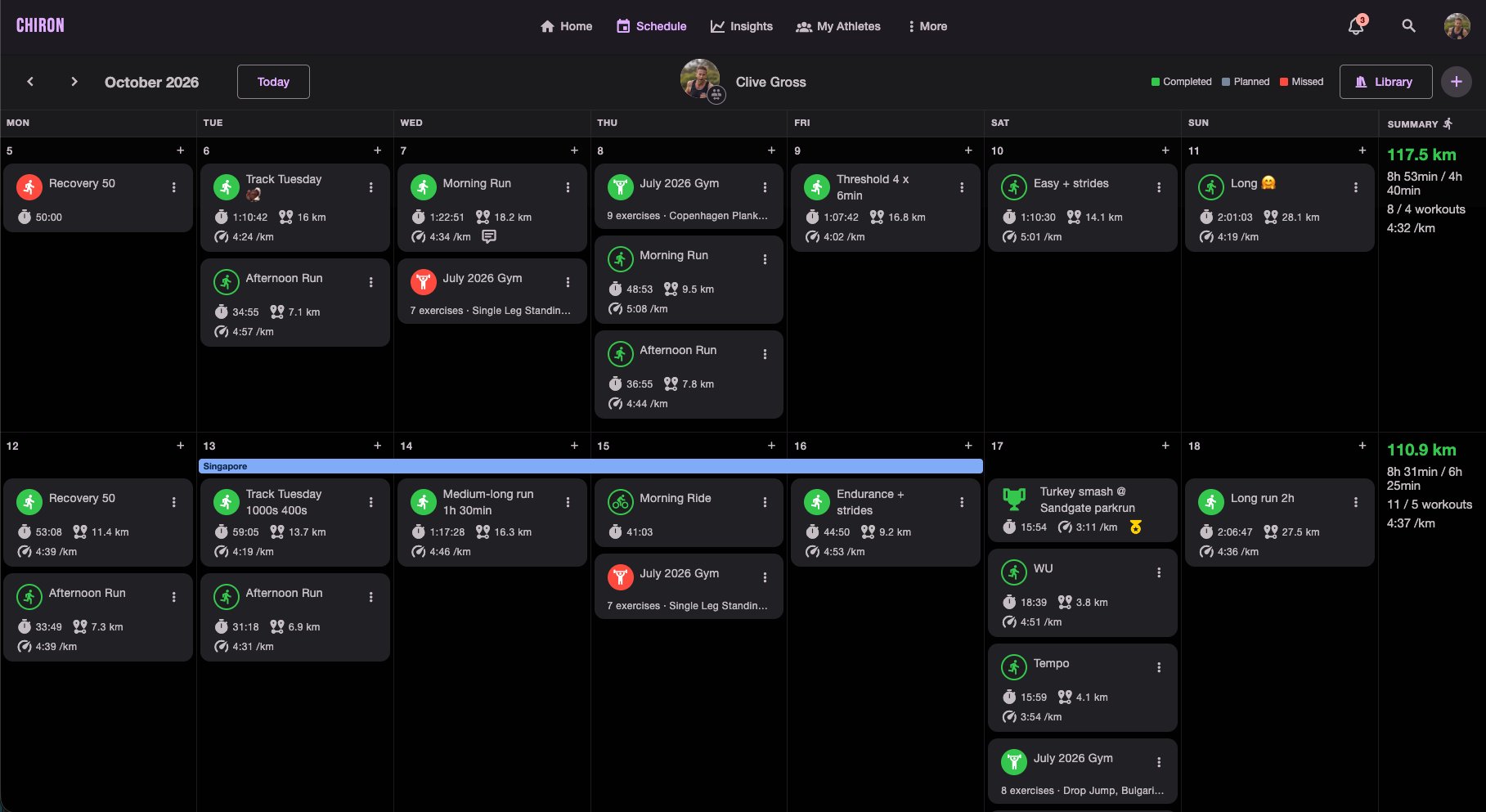

Training plans don’t happen in a vacuum. An athlete flies out for a work trip on Tuesday and home on Friday. School holidays mean a week of runs squeezed in before the kids wake up. A calf niggle turns into five days of cross-training. A camp, a taper, a race week.
Most of the time the coach finds out in a text message or a quick chat at the track, and from then on it lives in someone’s head or in a message somewhere. Three weeks later, looking back at a dip in volume, nobody remembers why.
Chiron now has labels to fix that.
What a label is
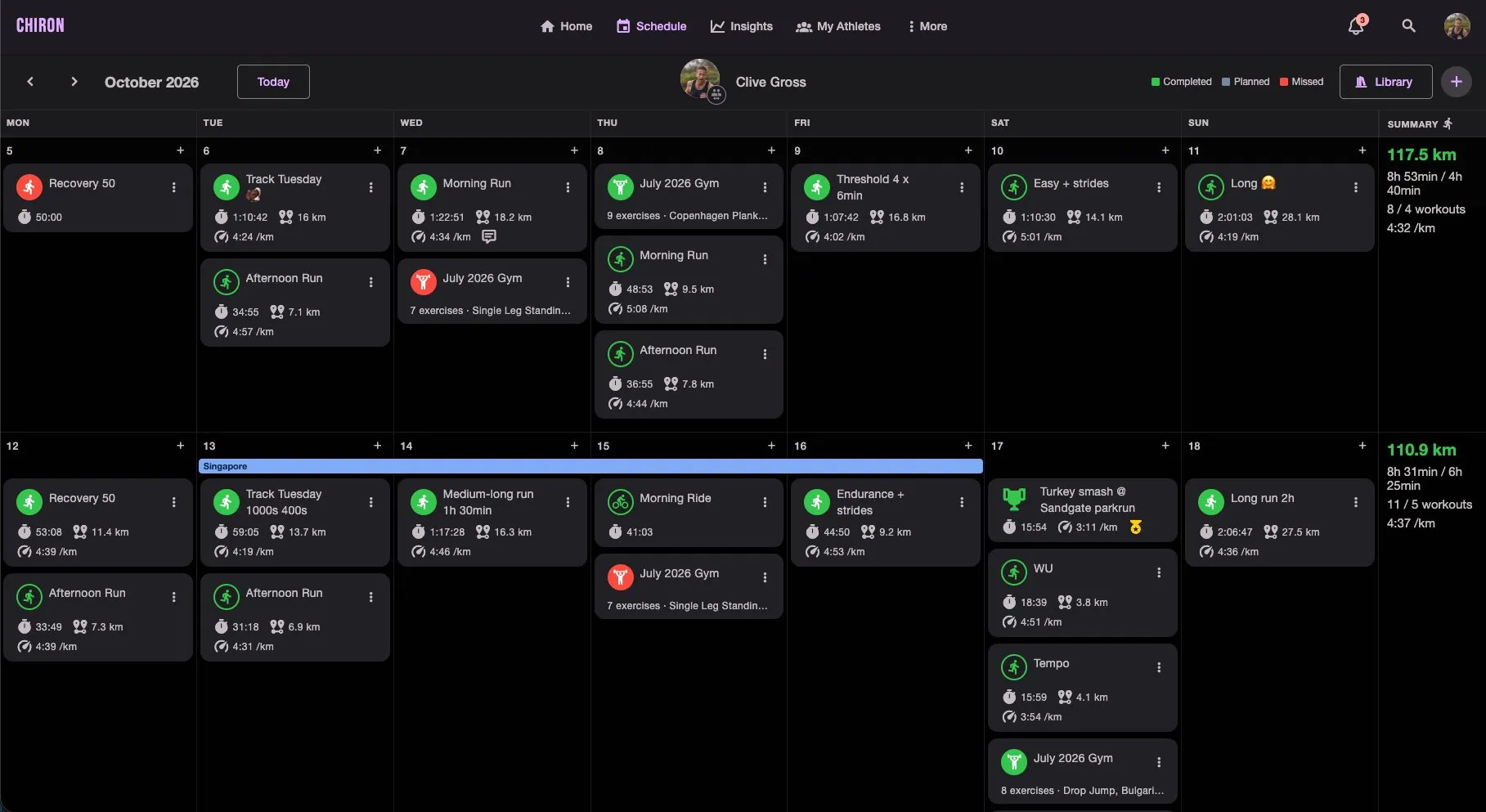
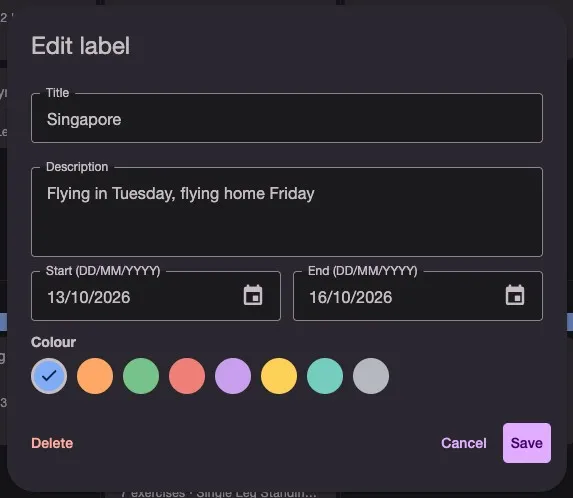
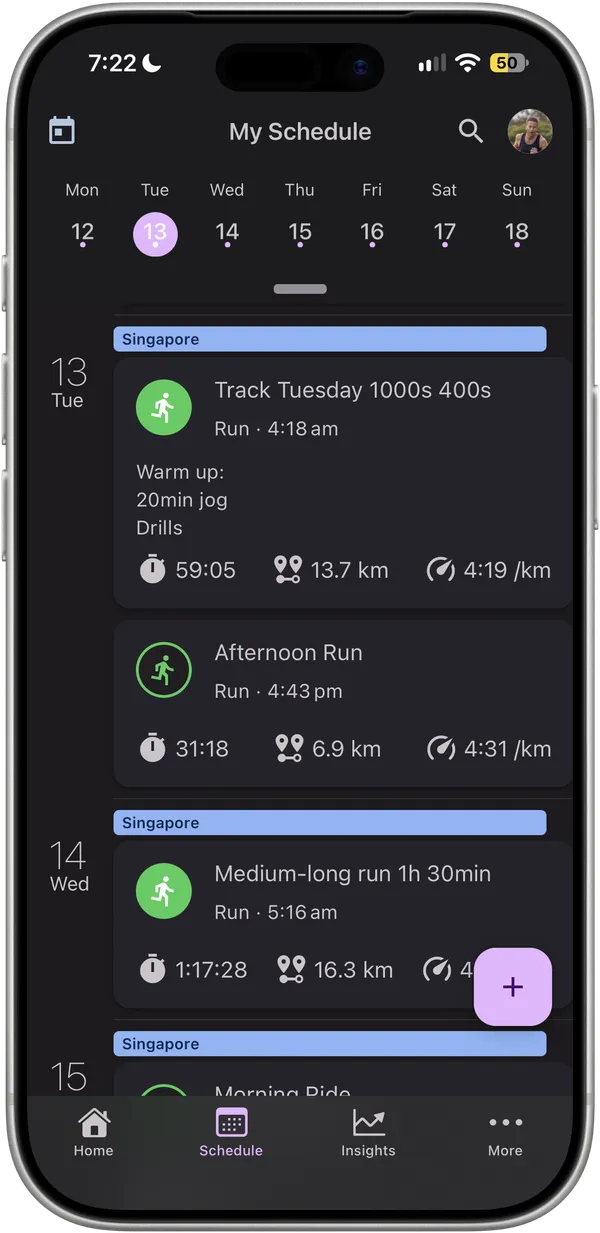
A label is a coloured bar across one or more days on the schedule. Give it a title, an optional description, a start and end date, and one of eight colours. It sits on top of the training for those days, so the context is right there with the sessions.
Notes are still there for a thought about a single day. Labels are for a period of time.
A better conversation between coach and athlete
Athletes and their coaches both see labels, and both can add, edit and remove them.
- Athletes can drop in a holiday, work trip or injury as soon as they know about it. The coach sees it the next time they open the schedule, before they plan the next block, not after the sessions have been missed.
- Coaches can mark out the shape of the plan: a base phase, a training camp, a taper, race week. The athlete can see where they are in the block without asking.
The description carries the detail that matters: flight times, what the physio has cleared, the race you’re tapering for.
Plan around life, not just around races
Labels earn their place when things don’t go to plan.
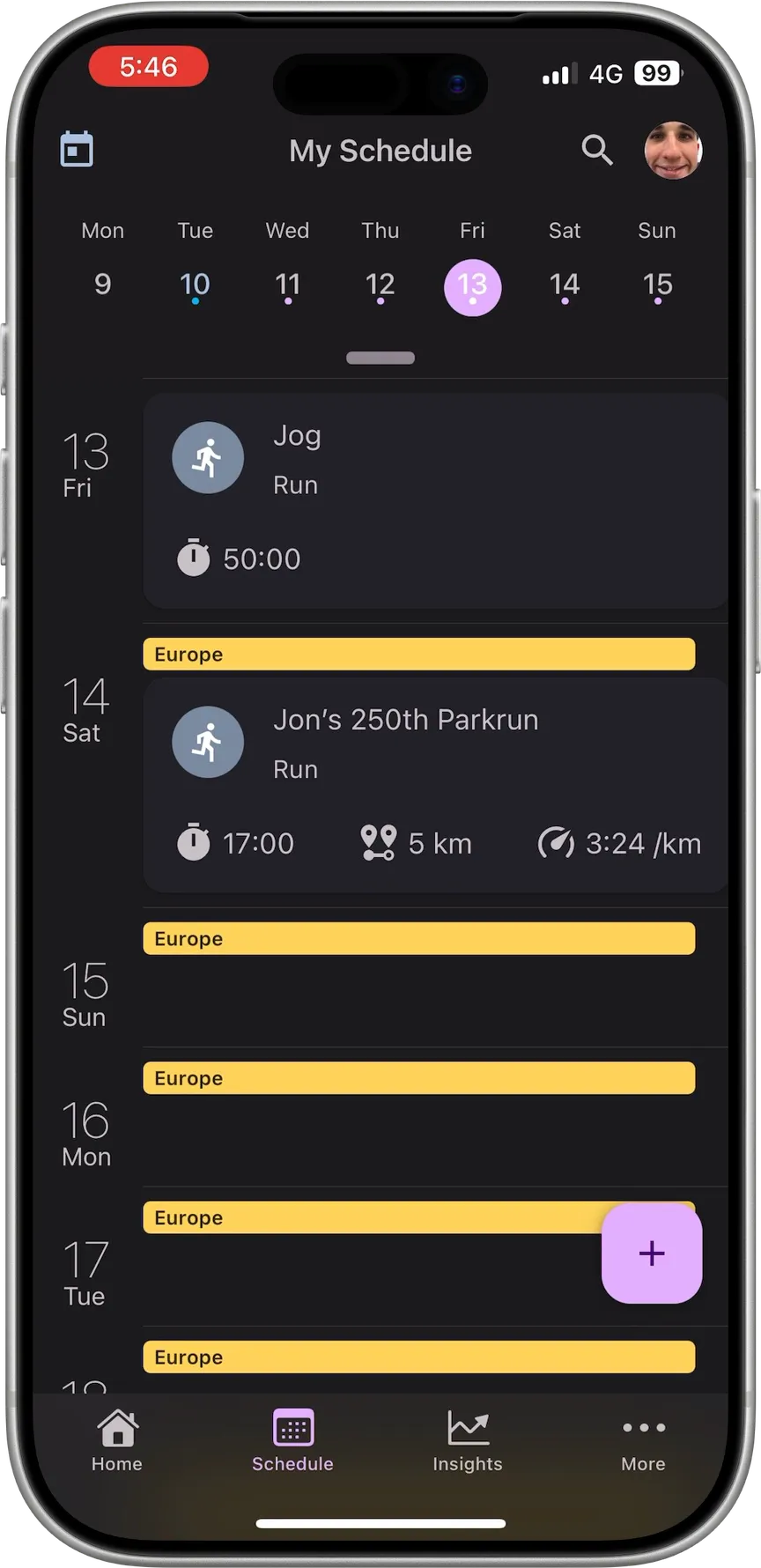
- Travel: see the trip before you schedule a key session into it. Ewan is off to Europe for three and a half weeks. He added the label as soon as he booked, so his next block is already planned around it. Plan the long run for the day before the flight, keep the sessions on the road easy, and pick things back up when you’re home.
- Injury and illness: when I fractured my fibula in March, every week of the return to run was its own phase. A label across each phase would have kept the whole picture on one screen.
- Looking back: when you review a training block months later, a lighter week explains itself.
On iPhone the label shows at the top of every day it covers, so it’s there even on a rest day.
A training log that still makes sense in a year
The real value of a training log shows up long after the week is over. Pull up a block from twelve months ago and the numbers tell you what happened: volume dropped off for three weeks, the threshold sessions got slower, the race went sideways. They don’t tell you why.
Was it the training itself? Too much intensity, not enough recovery, a block that didn’t suit you? Or was it the stress fracture, the family holiday where you barely ran, the month of night shifts, the move house? Those are completely different lessons. One means change how you train. The other means life happened.
Labels keep that context right next to the data. When you or your coach look back on a season, the dip in your training load sits under a bar that says Family holiday – Bali or Stress fracture – no running, and you can learn the right lesson from it.
How to add one
On the Schedule tab, tap + and choose Label. Coaches can add labels the same way from any athlete’s schedule.
The full walkthrough is in the Support Center: Labelling Your Schedule.
— Clive
Founder, Chiron
Plan your training around real life. Sign up to Chiron →