In Chiron, a race is an event on your schedule. Your next event appears on the Home tab, and your coach can see it too.
Add a race to your schedule
- Open the Schedule tab.
- Tap +, then Event.
- Enter the Title, for example Gold Coast Marathon.
- Choose the Event Type and, for a race, the Race Distance.
- Set the Date.
- Tap Save.
Set your goals
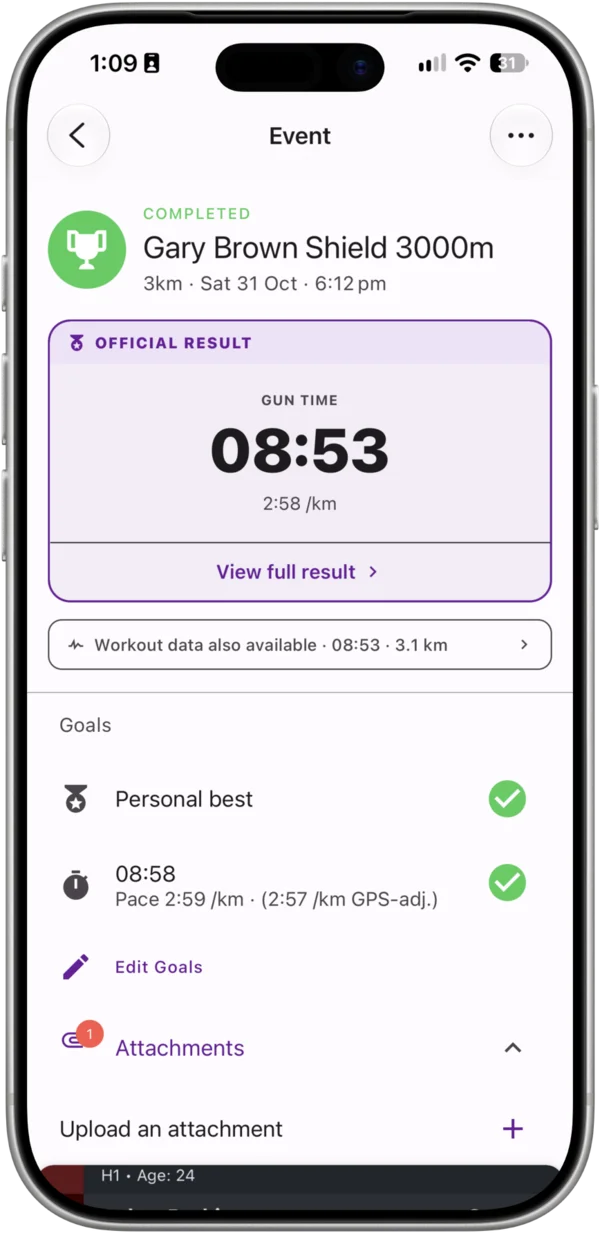
Open the event and tap Edit Goals in the Goals section. You can add as many goals as you like:
- Finish time — a target time, for example 2:59:59.
- Finish position — for example 3rd or better.
- Finish the event
- Personal best
- A custom goal — type your own and tap Add goal.
After the race, tick off each goal you achieved on the event screen.
Build a race checklist
Use the checklist for race-week jobs and kit: pick up your bib, lay out gels, charge your watch.
- Open the event and tap Edit Checklist.
- Type an item in Add item… and add it.
- Tick items off on the event screen as you go.
Upload attachments
Keep course maps, race instructions or your pacing plan with the event.
- Open the event and go to Attachments.
- Tap Upload an attachment and choose a file.
Each file in an event needs a unique name. If a file with the same name already exists, rename it first. Files have a maximum size limit of 5 MB.
Link your race workout
When you’ve run the race and it has synced from Strava, link the activity to the event so its splits, pace and heart rate sit alongside your result:
- Open the completed workout.
- Tap the menu and choose Link to Event.
- Choose the event from the list of events on that date.
You can also link from the event screen. Once linked, the event shows your goal time and goal pace against the workout. To undo it, open the event menu and choose Remove linked workout.
Record your official result
Open the event menu and choose Race Result to enter your official result:
- Status
- Position
- Net Finish Time and Gun Finish Time
- A link to the Official Results
Official results feed your Personal Bests. See Personal Bests and Best Performances.
Reuse an event
To add next year’s edition, open the event menu and choose Duplicate, then change the date.